 ultimate-guide
What Is Ford Co-Pilot360 2026 Technology?
Table of Contents
- What Ford Co-Pilot360 2026 Technology Actually Does
- Ford Co-Pilot360 Features You'll Use Every Day
- Ford Co-Pilot360 Assist+: What the Upgrade Adds
- How to Use Ford Co-Pilot360 on Your First Drive
- Ford Co-Pilot360 Availability by Model
- What Co-Pilot360 Cannot Do (And Why That Matters)
- Frequently Asked Questions
Last Updated: October 14, 2026
What Ford Co-Pilot360 2026 Technology Actually Does
Ford Co-Pilot360 is a suite of driver-assist features that helps you monitor the road, brake automatically in an emergency, and stay centered in your lane. Understanding what is Ford Co-Pilot360 2026 technology means knowing it assists your driving rather than replacing it. We walk buyers through these systems on every test drive, because the labels on the window sticker rarely explain what the technology feels like behind the wheel.
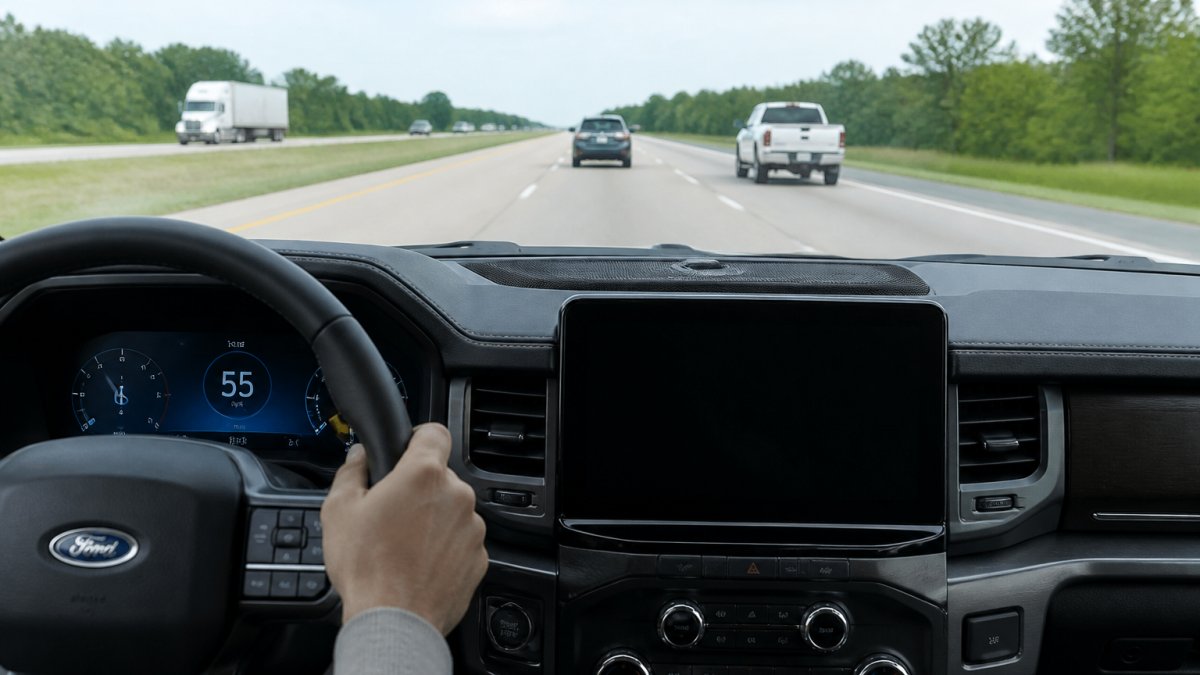
Ford groups these features into tiers. The standard package covers the safety basics that engage automatically. The upgraded Assist+ tier adds convenience features you switch on yourself. Knowing which tier a vehicle carries matters more than the badge on the tailgate. A common mistake is assuming every Ford with Co-Pilot360 has adaptive cruise control. It doesn't. That feature lives in the upgrade, and we'll show you exactly where the line falls.
Ford Co-Pilot360 Features You'll Use Every Day
Most drivers never touch half the technology in their vehicle. These are the Ford Co-Pilot360 features that quietly work on every commute, whether you're merging onto Kellogg or parking at the grocery store.
Automatic Emergency Braking and Pre-Collision Assist
Pre-Collision Assist scans the road ahead for vehicles, pedestrians, and cyclists. If it detects a likely collision and you haven't reacted, the system warns you first, then applies the brakes if you don't respond. Many drivers notice this feature most in stop-and-go traffic, where a brief distraction can close a gap fast.
Lane-Keeping System and Blind Spot Information System
The Lane-Keeping System reads lane markings and nudges you back toward center if you drift. Blind Spot Information System watches the zones beside and behind you, lighting an indicator in the mirror when a vehicle enters them. Neither replaces a shoulder check. Both add a second set of eyes on highways where traffic stacks up quickly.
Rear View Camera and Reverse Brake Assist
The Rear View Camera shows what's behind you the moment you shift into reverse. Reverse Brake Assist goes further: if it detects an obstacle while backing up, it can apply the brakes to stop the vehicle. For families loading kids and gear in busy parking lots, that extra intervention is worth having.
Ford Co-Pilot360 Assist+: What the Upgrade Adds
Ford Co-Pilot360 Assist+ is the higher tier that layers convenience features on top of the standard safety set. These systems are designed for longer drives, where holding a steady speed and managing lane position for an hour gets tiring.
Adaptive Cruise Control with Stop-and-Go
Adaptive Cruise Control maintains a set speed and adjusts to the vehicle ahead, slowing when traffic slows and resuming when it clears. With Stop-and-Go, the system can bring you to a full stop and pull away again in heavy traffic. It's a feature buyers often ask about when they compare trims.
Evasive Steering Assist and Speed Sign Recognition
Evasive Steering Assist provides extra steering response if you need to swerve around a sudden obstacle. Speed Sign Recognition reads posted limits and displays them on your instrument cluster, which helps on unfamiliar roads where limits change without warning.
| Feature | Standard Co-Pilot360 | Assist+ Upgrade |
|---|---|---|
| Automatic Emergency Braking | Yes | Yes |
| Blind Spot Information System | Yes | Yes |
| Adaptive Cruise Control | No | Yes |
| Evasive Steering Assist | No | Yes |
| Speed Sign Recognition | No | Yes |
How to Use Ford Co-Pilot360 on Your First Drive
Learning how to use Ford Co-Pilot360 takes about fifteen minutes with the owner's manual and an empty parking lot. Start there before trusting any feature in traffic.
- Find the driver-assist menu in your instrument cluster settings and review which features your vehicle has.
- Adjust lane-keeping sensitivity and alert intensity to your preference.
- Set your following distance for adaptive cruise if equipped.
- Test the rear camera and Reverse Brake Assist in an empty lot.
- Practice letting adaptive cruise handle a slow traffic crawl before relying on it on the highway.
Ford Co-Pilot360 Availability by Model
Ford Co-Pilot360 availability by model varies by trim and package, so the window sticker is your final authority. Standard Co-Pilot360 appears across most of the lineup, from the Escape and Bronco Sport to the F-150 and Explorer. The Assist+ upgrade typically comes with higher trims or as a standalone package.
If you're shopping used, don't assume the previous owner ordered the upgrade. We verify equipment on every pre-owned vehicle we sell, and we're happy to walk you through exactly which features a specific truck or SUV carries before you commit. That's a question worth asking anywhere you shop.
What Co-Pilot360 Cannot Do (And Why That Matters)
Co-Pilot360 cannot drive for you, and no current driver-assist system can. Cameras and radar have limits: heavy rain, direct sun glare, and worn lane paint all reduce how well they see. The system may disengage without warning when conditions degrade.
Ford is clear in its owner materials that these are assist features, and NHTSA's driver assistance guidance makes the same point: drivers remain in control and must stay engaged. Treat every feature as a backup, never a substitute. That mindset is what separates drivers who benefit from this technology from those who get complacent with it.
Frequently Asked Questions
What is Ford Co-Pilot360 technology?
Ford Co-Pilot360 is a suite of driver-assist features that use cameras, radar, and sensors to help you monitor the road and respond to hazards. Core features include automatic emergency braking, lane-keeping assist, blind spot monitoring, and a rear view camera. It is designed to assist, not replace, an attentive driver. You still steer, brake, and stay engaged at all times.
What features are included in Ford Co-Pilot360 for 2026?
The 2026 Ford Co-Pilot360 suite typically includes Pre-Collision Assist with Automatic Emergency Braking, Lane-Keeping System, Blind Spot Information System with Cross-Traffic Alert, Rear View Camera, Auto High-Beam Headlamps, and Reverse Brake Assist. Exact content varies by model and trim. Check the window sticker or ask your dealer which features are on the specific vehicle you are considering.
Is Ford Co-Pilot360 standard on every 2026 Ford model?
Ford Co-Pilot360 is standard on many 2026 Ford models, but availability varies by trim and package. Some entry-level trims may include a partial set of features, while higher trims add Co-Pilot360 Assist+ with adaptive cruise control and other upgrades. Always confirm the feature list for the exact vehicle you plan to buy rather than assuming every model carries the full suite.
What is the difference between Ford Co-Pilot360 and Co-Pilot360 Assist+?
Ford Co-Pilot360 covers the core driver-assist features like automatic emergency braking, lane keeping, and blind spot monitoring. Co-Pilot360 Assist+ adds advanced conveniences such as adaptive cruise control with stop-and-go, evasive steering assist, and speed sign recognition. Assist+ is often bundled in higher trims or optional packages, so check the build sheet for your specific vehicle.
Does Ford Co-Pilot360 include adaptive cruise control?
Adaptive cruise control is part of Ford Co-Pilot360 Assist+, not the base Co-Pilot360 suite. Base Co-Pilot360 focuses on safety alerts and automatic braking. If adaptive cruise control is a must-have for your daily commute or road trips, look for a 2026 Ford model equipped with Co-Pilot360 Assist+ or verify the package on the window sticker before you buy.
How do you turn on Ford Co-Pilot360 features?
Most Ford Co-Pilot360 features activate automatically when you start the vehicle, but you can adjust them through the touchscreen under Settings > Driver Assistance. Use the steering wheel buttons to toggle lane keeping, set adaptive cruise control, or change alert sensitivity. Spend a few minutes in a parked car learning the menus before you rely on the features in traffic.
Can Ford Co-Pilot360 steer the vehicle for you?
Ford Co-Pilot360 can provide steering assistance through features like Lane-Keeping System and Lane Centering, but it does not make the vehicle fully self-driving. You must keep your hands on the wheel and your attention on the road. The system is designed to help with fatigue and momentary lapses, not to take over driving responsibility.
Does Ford Co-Pilot360 work the same way on every Ford model?
No. Feature content, sensor placement, and user interface vary across Ford models and trim levels. A 2026 Ford Escape may have a different combination than a 2026 F-150. The core safety features behave similarly, but advanced features like adaptive cruise control and lane centering depend on the package. Review the specific vehicle's equipment list before purchase.
Shopping for a Ford means sorting through trims, packages, and feature tiers, and the driver-assist lineup is where that gets confusing fastest. At Rusty Eck Ford, we've helped Wichita families and business owners match the right vehicle to the right features since 1953, and we'll walk you through every system on the lot before you decide. Get started with Rusty Eck Ford and schedule a test drive to see how Co-Pilot360 feels on the road.