 how-to
How to Order Genuine Ford Parts Online in 7 Steps
Last Updated: November 3, 2026
Quick Summary
To order genuine Ford parts online, first gather your VIN, model year, trim and engine details. Then search the parts catalog by VIN, confirm the part number against your old part and the diagram, and check the seller and return policy before you pay.
- Enter the full 17-character VIN, not just the year, make and model.
- Confirm the production date, trim, engine and drivetrain match the listing.
- Compare the part number against the catalog, diagram and your old part.
- Check that the seller is Ford or an authorized dealer and the listing says genuine or OEM.
- Compare the total delivered cost, including shipping, tax and any core charge.
Table of Contents
- What Makes a Ford Part Genuine
- Gather Your Vehicle Information Before You Search
- Find the Right Part with a Ford Parts Catalog by VIN
- Use Ford Parts Diagrams Online to Confirm the Part
- How to Verify Genuine Ford Parts Online
- Check Seller Reviews and Return Policy Before Checkout
- Place Your Order and Plan Your Installation in Wichita
- Frequently Asked Questions
Ordering genuine Ford parts online is easier than most drivers expect, but it helps to know what to check before you click "buy." Rusty Eck Ford has served Wichita since 1953, and a few careful steps can help prevent wrong-part returns and installation delays. This guide walks through seven steps, from confirming what makes a part genuine to placing an order you can install with confidence.
What Makes a Ford Part Genuine
A genuine Ford part is an original equipment part made by or for Ford Motor Company. Ford labels these parts as genuine or original equipment, and they are built to the same specifications as the parts installed at the factory.
Parts sold as "compatible" or "aftermarket" may cost less, but they are made by other manufacturers. Their fit and performance can vary. For many repairs, especially those tied to safety systems or engine components, a genuine part removes guesswork.
Ford's official parts website sells genuine parts. Current offers can change, so check the site before you order. Shoppers who want a deeper look at what genuine parts offer can read the Benefits of Genuine Ford Motorcraft Parts article.
Gather Your Vehicle Information Before You Search
Before you browse, collect the details that decide which part fits. Having them ready saves time and reduces mistakes.
Write down these items:
- Model year: Found on the registration or the driver's door jamb sticker
- Make and model: Such as F-150, Explorer, or Escape
- Trim level and engine size: Printed on the window sticker or your registration
- VIN (Vehicle Identification Number): A 17-character code found on the dashboard near the windshield and on the driver's door jamb
- The part name or the part number: If you have the old part, check the label for a number
Many parts depend on the engine or trim, not just the model. Two trucks of the same year can use different brake components or sensors. The VIN removes that uncertainty.
Find the Right Part with a Ford Parts Catalog by VIN
Searching by VIN is the most reliable way to confirm fitment, because a Ford parts catalog by VIN matches your exact build rather than a generic year-and-model range. The VIN encodes the model year, assembly plant, engine, and other build details, so the catalog filters out parts that fit a similar truck but not yours. When a vehicle’s build details are incomplete or the part is for an older model, compare its measurements and mounting points to verify part fitment before ordering.
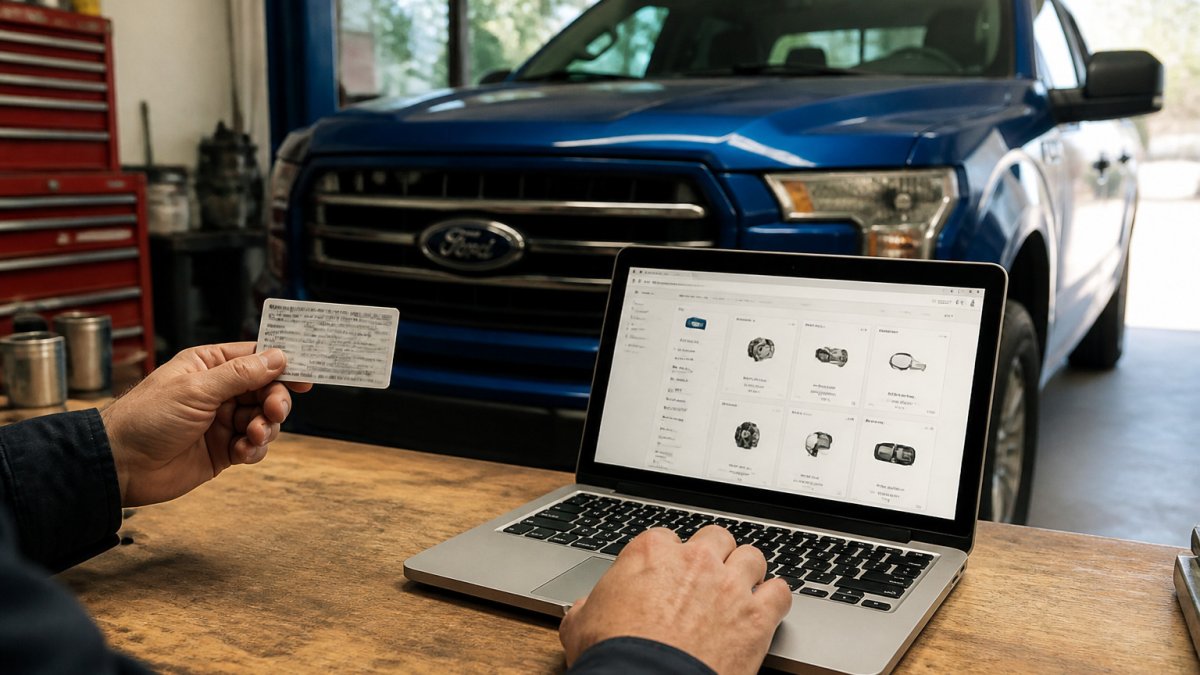
Follow these steps:
- Open the parts section of the Ford website or a trusted dealer's online store.
- Enter your 17-character VIN, not just the year, make, and model.
- Review the category list, such as brakes, filters, or lighting.
- Select the part and confirm the description matches the one you need.
Fitment-Verification Checklist Before Checkout
A VIN search gets you close, but confirm these details against the listing before you pay. Most wrong-part orders trace back to one of these mismatches:
- Model year and production date: Parts can change mid-year. Check the build date on the driver's door jamb sticker, not just the model year on the registration.
- Trim level: An XLT and a Lariat of the same year can use different trim-specific components.
- Engine and drivetrain: Two-wheel drive and four-wheel drive often take different mounts, axles, and sensors.
- Cab and bed configuration: On trucks, cab style and bed length affect body, lighting, and bed-related parts.
- Part number match: The number on the listing should match the catalog result and, when you have it, the number on the old component.
How to Identify and Cross-Check a Part Number
If you still have the old part, look for a stamped or printed number on the component itself, on its label, or on the packaging. Ford part numbers typically follow a format with a prefix, a basic number, and a suffix; the suffix often signals a revision. Write the full number down exactly.
Part numbers get superseded over time. A dealer may replace an old number with a newer one that fits the same application, and some numbers are interchangeable across similar models. When the listing number differs from your old part, do not assume it is wrong, check whether the seller lists it as a replacement or supersession for your original number, and confirm with the parts department if you are unsure.
Some shoppers prefer not to enter a VIN on a public site. A VIN reveals build details and can be tied to your vehicle, so share it only with a seller you trust. If that concern applies to you, search by year, make, model, engine, and trim instead, then compare the part number against your old part and the diagram.
Watch out: A part can look identical to the old one and still differ in a small detail, such as a connector shape or mounting hole. Always check the part number against the catalog result, not just the photo.
The steps below summarise how to confirm a part fits your vehicle before you buy it.
| Step | What to do | Time or frequency |
|---|---|---|
| Gather vehicle info | Note model year, trim, engine and VIN | Before you search |
| Search by VIN | Enter the full 17-character VIN, not just year and model | Each part you order |
| Check build details | Match production date, trim, engine and drivetrain | Before checkout |
| Cross-check part number | Compare listing, catalog, diagram and old part | Before you pay |
| Review the diagram | Confirm callout numbers and vehicle coverage | Before checkout |
| Confirm supersessions | Ask the parts department if numbers differ | When unsure |
Use Ford Parts Diagrams Online to Confirm the Part
Parts diagrams show how components fit together. They help you spot the exact piece you need, especially for assemblies that contain several small parts.
When you open a diagram, look for:
- Callout numbers that match a parts list
- The section that matches your repair, such as front suspension or cooling system
- Notes that identify which vehicles or engines the diagram covers
Compare the diagram's part number with the one on your old component. If the numbers match, you have strong evidence the part fits. If they differ, check the VIN search again before you buy.
How to Verify Genuine Ford Parts Online
Not every listing that mentions Ford is a genuine part. Counterfeit, used, and misrepresented parts circulate online, and the signals below help you separate a genuine OEM listing from a lookalike.
Seller and Authenticity Checks
- Sold by Ford or an authorized dealer: The listing should clearly name the seller. Be cautious with marketplace listings where the seller is an individual or an unfamiliar storefront.
- Genuine or OEM labeling: The description should state the part is genuine Ford or original equipment, not merely "compatible" or "fits Ford."
- Part number match: The number on the listing should match the catalog, the diagram, and your old component.
- Packaging and branding: Genuine parts typically arrive in Ford or Motorcraft packaging with clear labeling. Inconsistent logos, misspellings, or generic bags are warning signs.
- Price and photo consistency: Be cautious if the price is far below other sellers or the photos look reused or inconsistent with the described part.
- Contact details: A verifiable seller lists a phone number, address, and return policy. If those are missing, ask before you buy.
Shoppers who want to avoid surprises can ask a dealership parts department to confirm the number before ordering.
Compare the Total Delivered Cost, Not Just the Item Price
The sticker price is only part of what you pay. Before you choose a seller, add up the full cost of getting the part to your door:
- Item price: The listed cost of the part itself.
- Shipping and handling: Some sellers advertise low prices but charge more to ship.
- Sales tax: Applied based on your location and the seller's nexus.
- Core charges: Some components, such as certain pumps and compressors, carry a refundable core charge you get back only if you return the old part.
- Return shipping: What it costs you if the part does not fit or arrives damaged.
A lower item price can lose its advantage once shipping, tax, and a core charge are added. Compare the delivered total, and check whether the seller's shipping offer or order minimum changes the math.
Watch out: A listing that shows a very low price but a high core charge or restocking fee can cost more overall than a dealer listing with a higher item price and clear terms.
Check Seller Reviews and Return Policy Before Checkout
Before you finish an order, read the seller's return and warranty terms. Policies vary, and a return window can be short for electrical or custom-ordered items.
Look for these points:
- Return window: How many days you have to send a part back
- Condition rules: Whether the part must be unused and in original packaging
- Restocking or shipping fees: Costs that may apply to returns
- Warranty coverage: What the manufacturer covers and for how long
- Recent reviews: Comments about fit, delivery speed, and customer service
If the seller's terms are unclear, contact them before you buy. A quick question can prevent a costly return later.
Place Your Order and Plan Your Installation in Wichita
When your part and policies check out, you are ready to order. Review the cart carefully. Confirm the part number, quantity, and shipping address. Add any related items you need for the repair, such as gaskets or fluids, so the job does not stall halfway through.
Before the part arrives, decide how you will install it. Simple jobs like replacing air filters or wiper blades suit most home mechanics. Brake work, sensor replacement, and anything involving airbags or steering typically call for a professional. Shop-supplied installation can save time and gives you a second set of eyes on the work.
Rusty Eck Ford's service team can be contacted about installation timing for your repair. Bring your VIN and the part number so the technician can check fitment before work begins.
Ordering the right part the first time comes down to three habits: confirm the VIN, match the part number, and read the seller's policies. Follow those steps, and your next Ford repair starts with the right component on the way.
Frequently Asked Questions
Where can I buy genuine Ford parts online?
Genuine Ford parts are available through Ford's official parts storefront and through authorized Ford dealerships, which can order factory parts for your specific vehicle. Start on the official site if you want genuine OEM inventory, then compare the part number against your vehicle information before checking out.
How can I find the correct Ford part using my VIN?
Enter your 17-character VIN into a Ford parts catalog by VIN search to filter results to parts designed for your exact vehicle. The VIN identifies your model year, trim, engine, and factory options, which affect fitment. Matching the part number listed for your VIN against the part you are buying is the most reliable way to avoid ordering the wrong component.
How do I check whether an online Ford part fits my vehicle?
Confirm the year, make, model, trim, and engine on the product page match your vehicle, then compare the part number with the one printed on your old part or listed in the parts diagram. Check the compatibility notes for any mention of option packages or production changes. If anything is unclear, contact the seller with your VIN before you order.